Scan documents to PDF.Right on your phone.
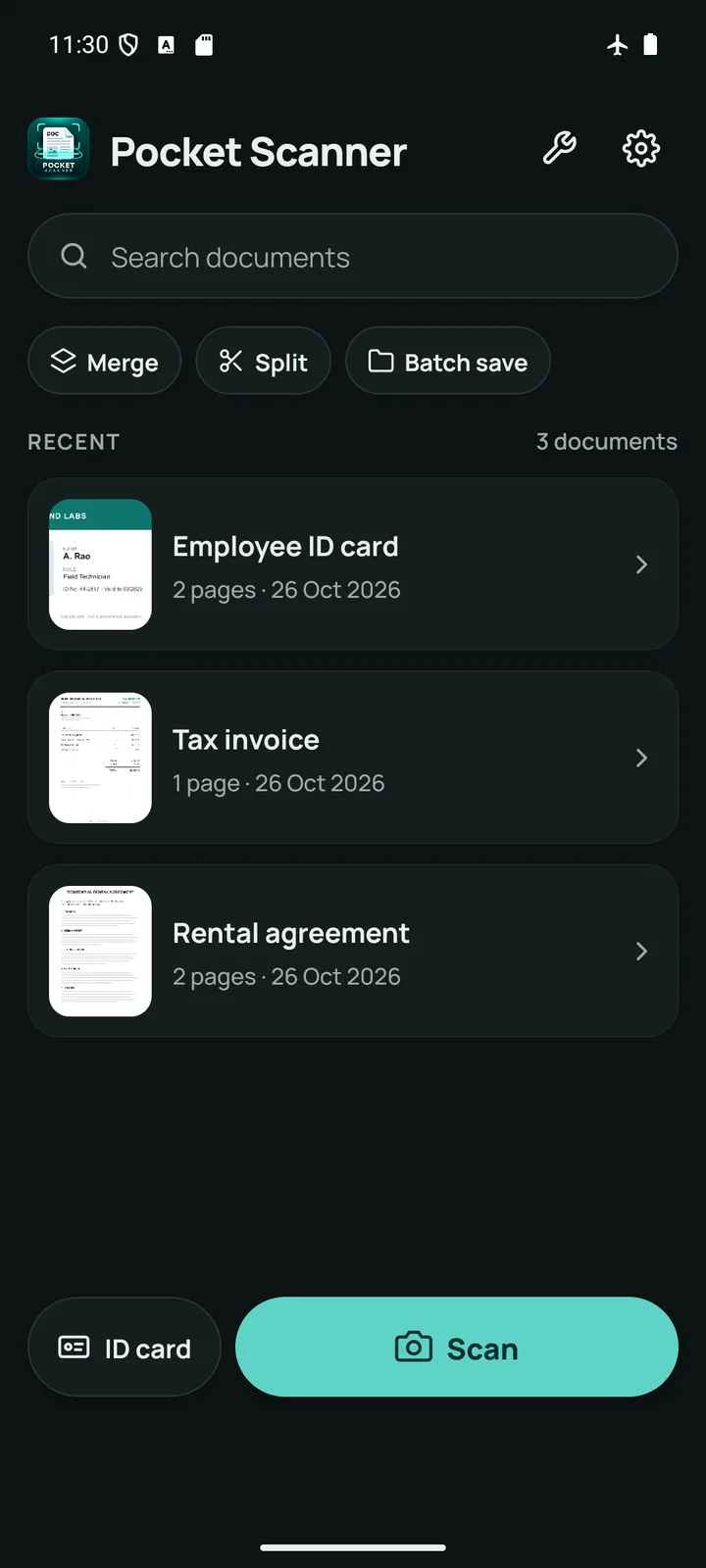
Pocket Scanner is an offline PDF scanner for Android. Scan, sign, watermark and password-protect your documents, with no account and no cloud. Your documents never leave your phone.
- Works offline
- No account
- Nothing uploaded
Features
Everything a document scanner should do, and nothing it should not
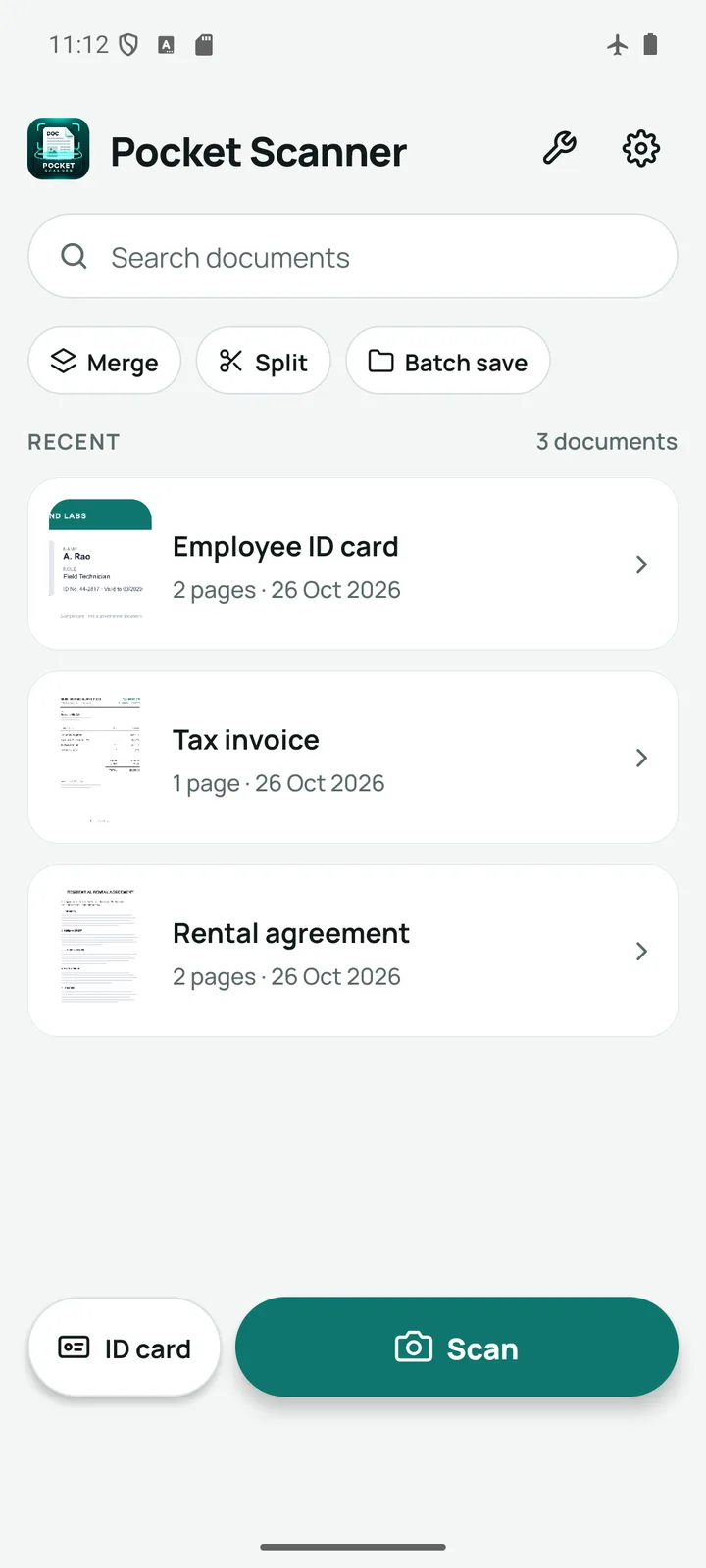
From a receipt to a signed rental agreement, the whole job happens on your phone.
Scan anything to PDF
Point the camera and the page is found, straightened and cropped for you. Receipts, contracts, notes, forms and whiteboards.
Sign a PDF on your phone
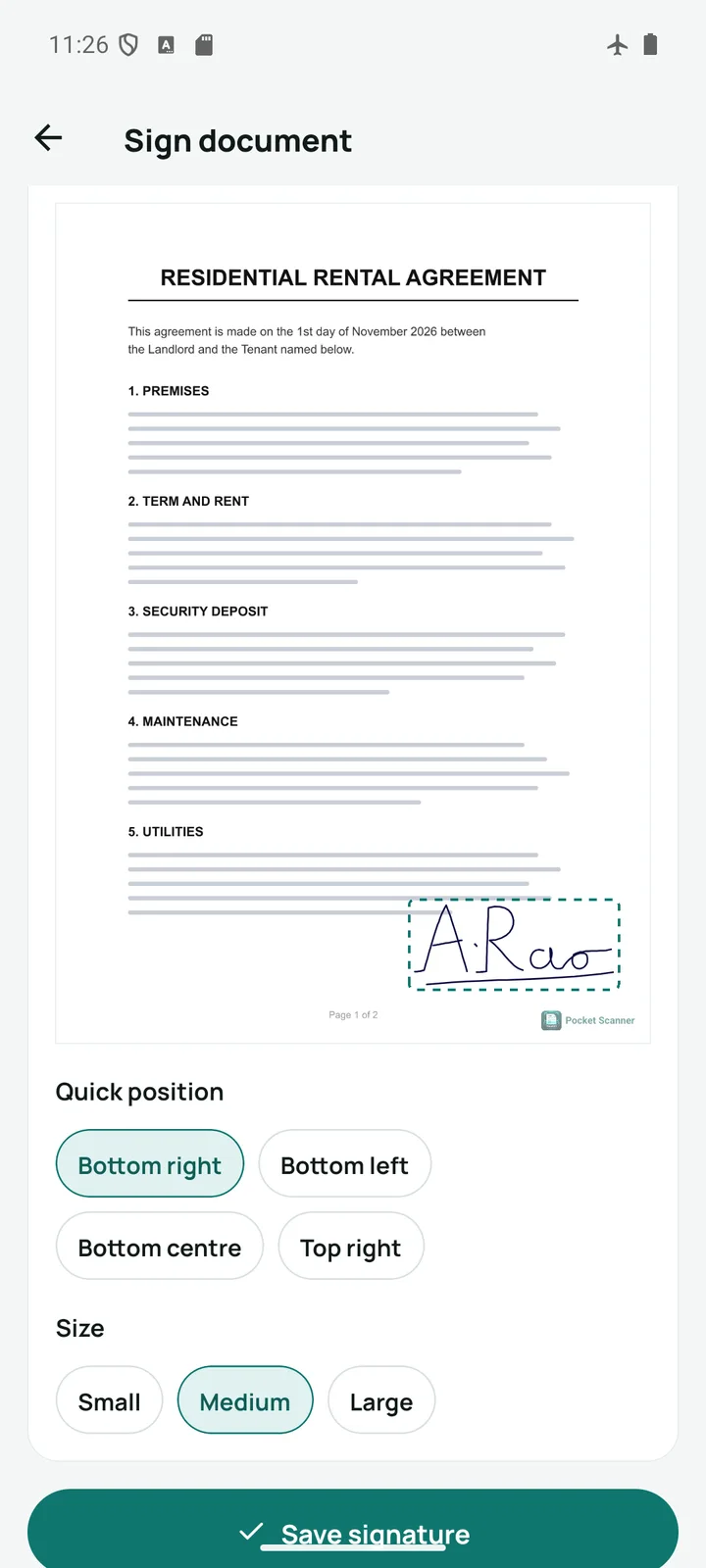
Sign with your finger, or photograph your signature on paper. The paper is removed so only the ink lands on the page.
Lock PDFs with a password
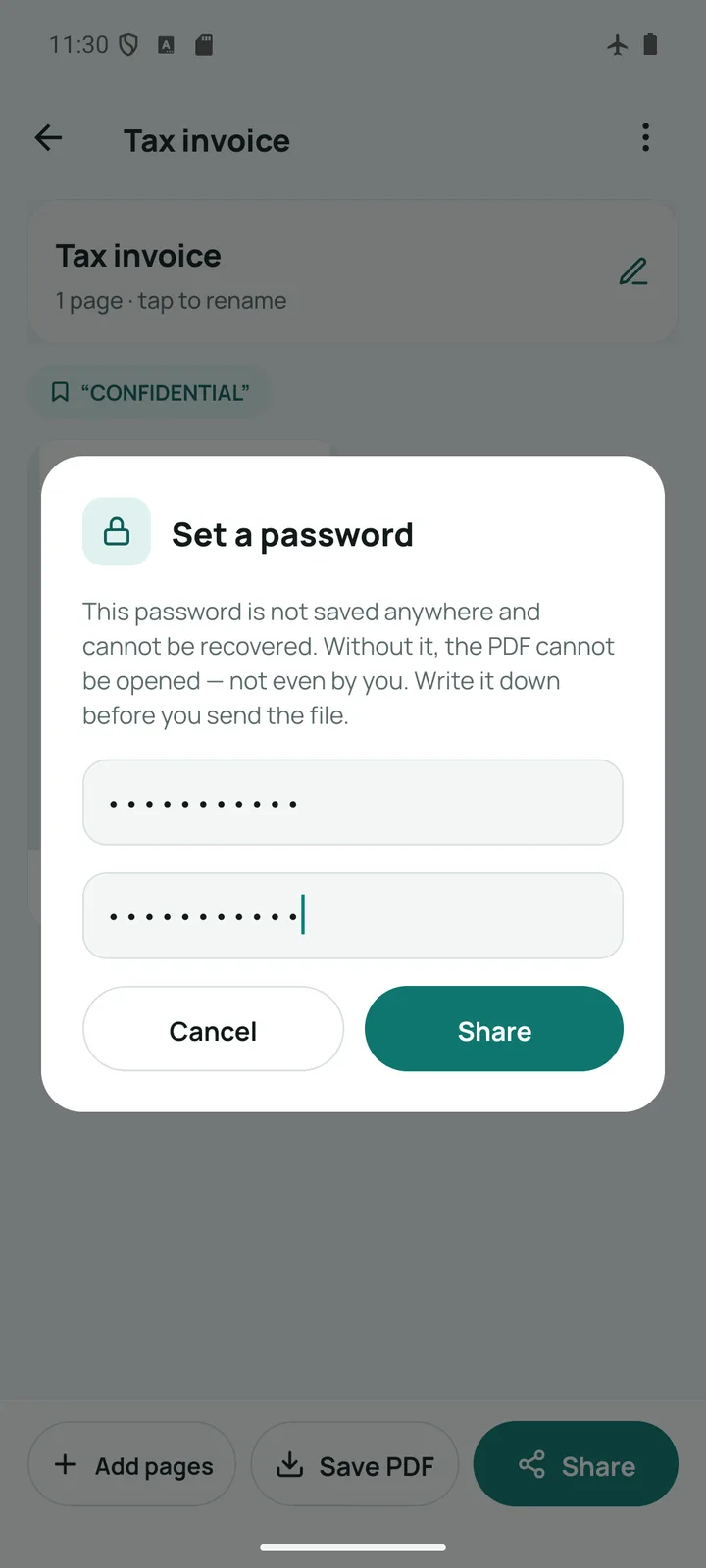
Export a PDF encrypted with AES so only the person with the password can open it. The password is never stored.
ID card scanner
Scan the front and back of a card and get both sides on one A4 page: the layout KYC forms actually ask for.
Your own watermark
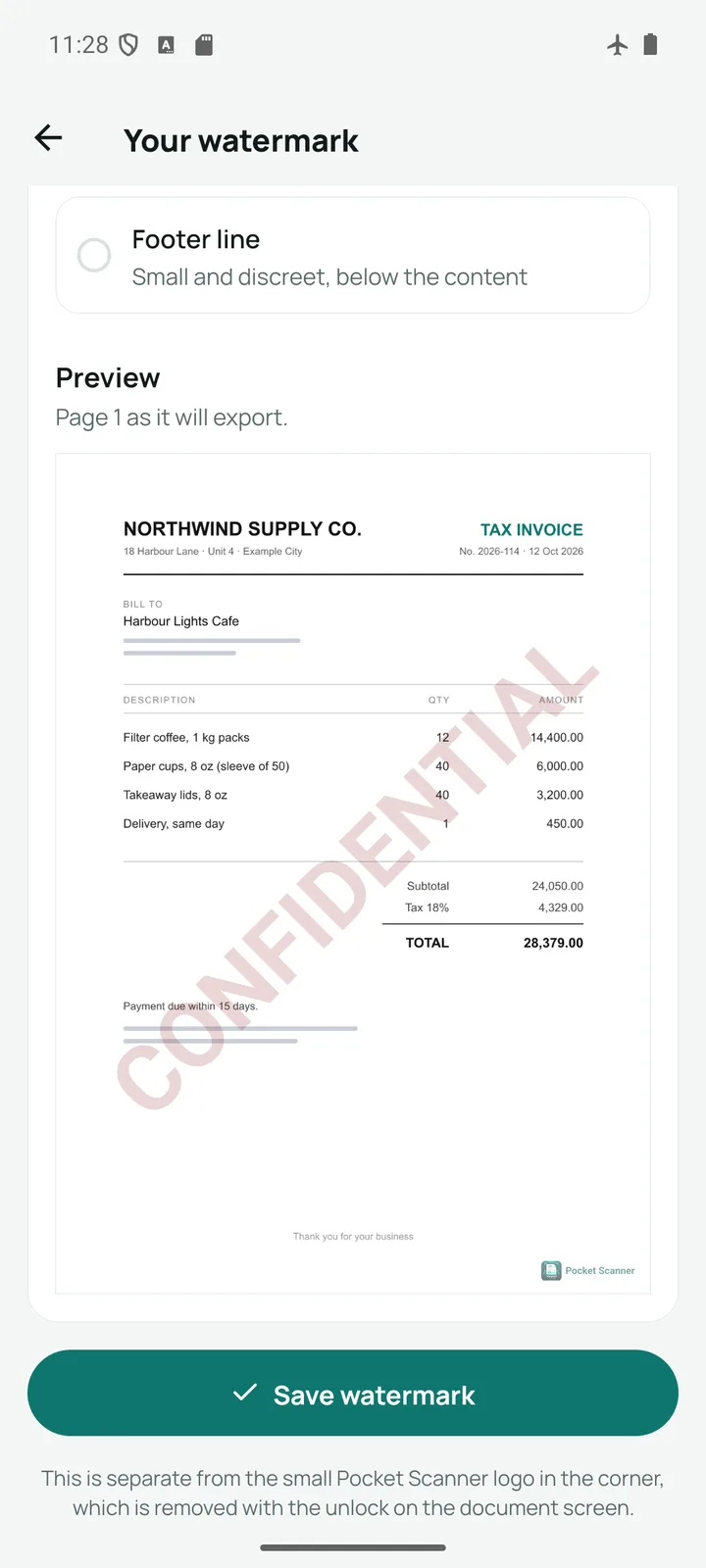
CONFIDENTIAL, DRAFT, “For KYC purpose only” or your own words, drawn into every page so it cannot be cropped off.
Merge, split and reorder
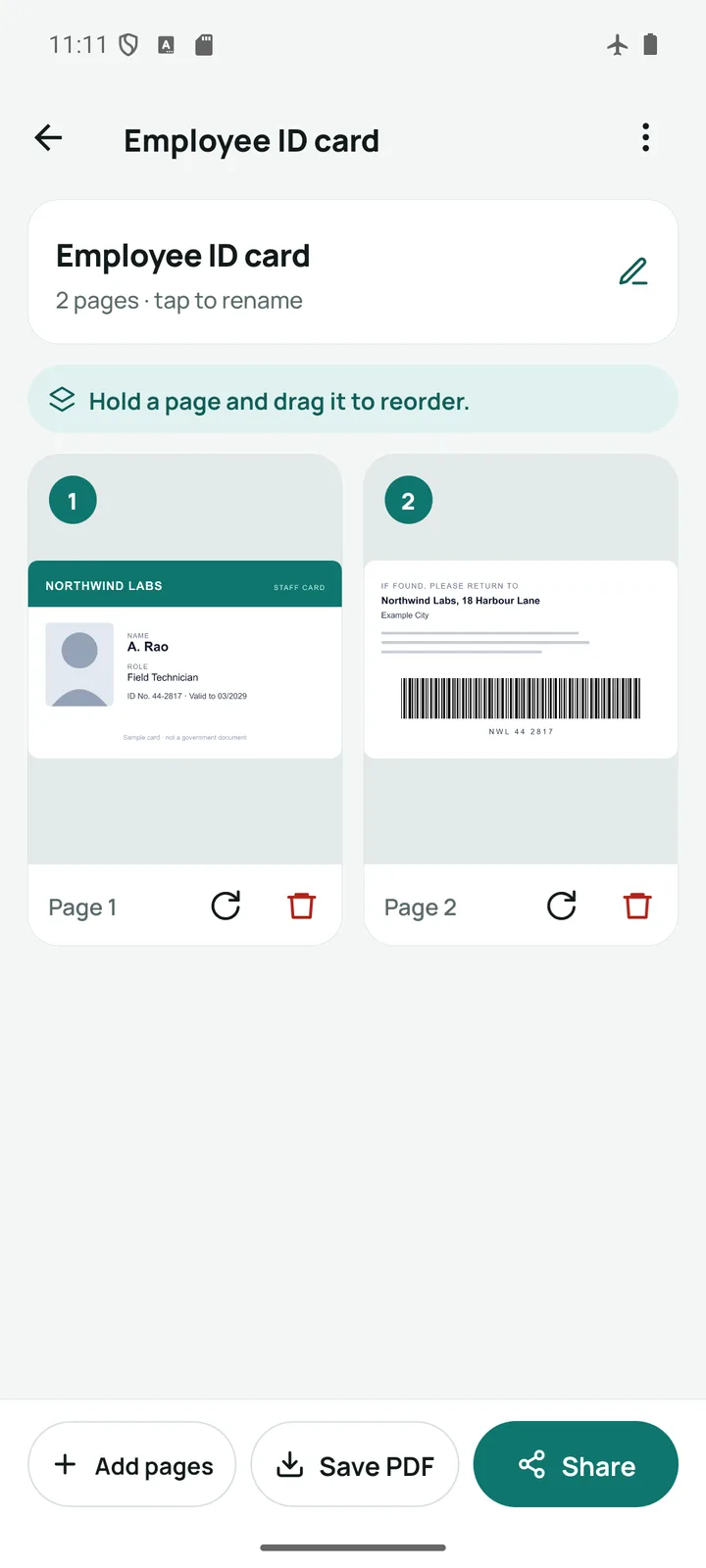
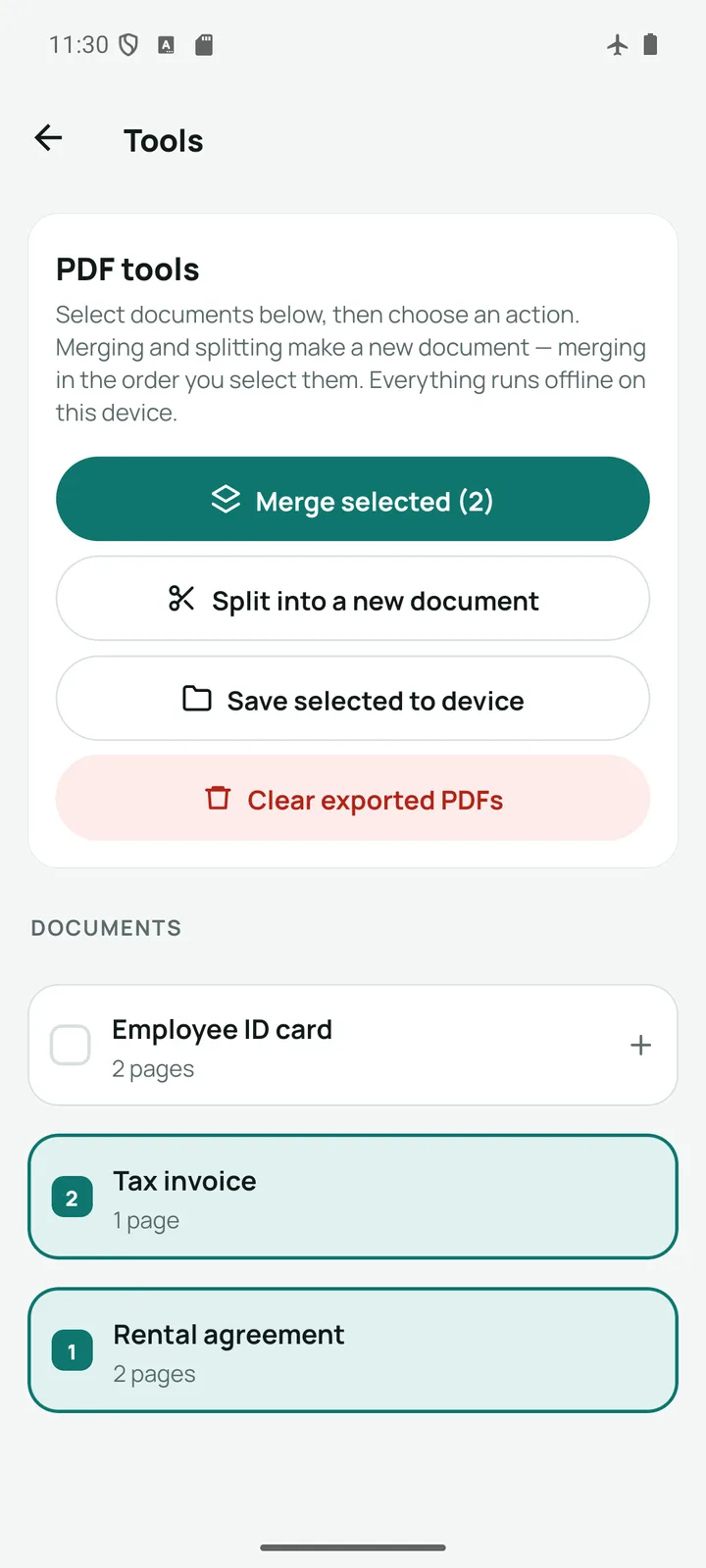
Merge documents into a new PDF, split one apart, and drag pages into order. Rotate or delete any page.
Filters and adjustments
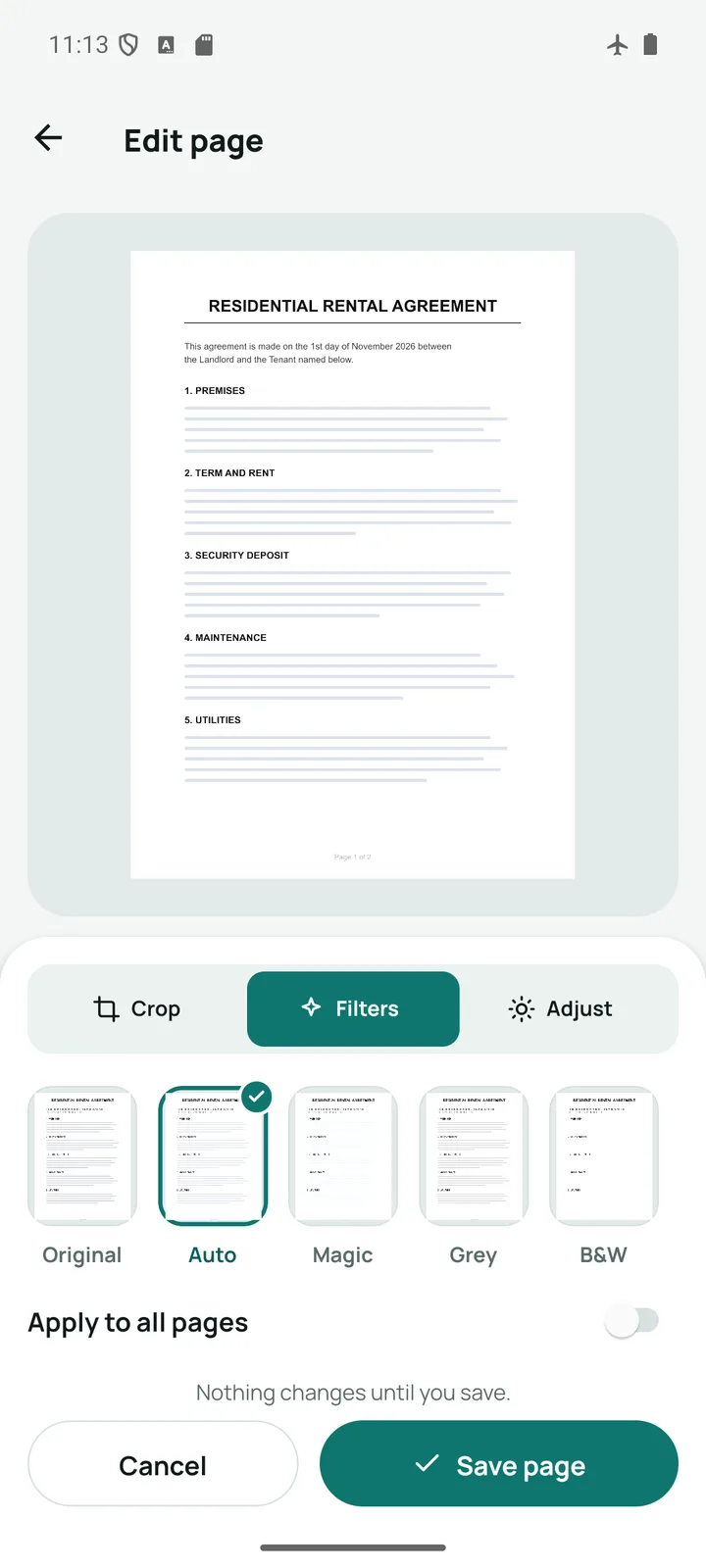
Original, Auto, Magic, Grey and black-and-white filters with live previews, plus brightness and contrast.
Image to PDF
Share photos from your gallery or any app into Pocket Scanner and turn them into a single PDF. Or save pages as JPG.
Works completely offline
Scanning, signing, locking and every PDF tool run on your phone. Scan on a flight or with mobile data switched off.
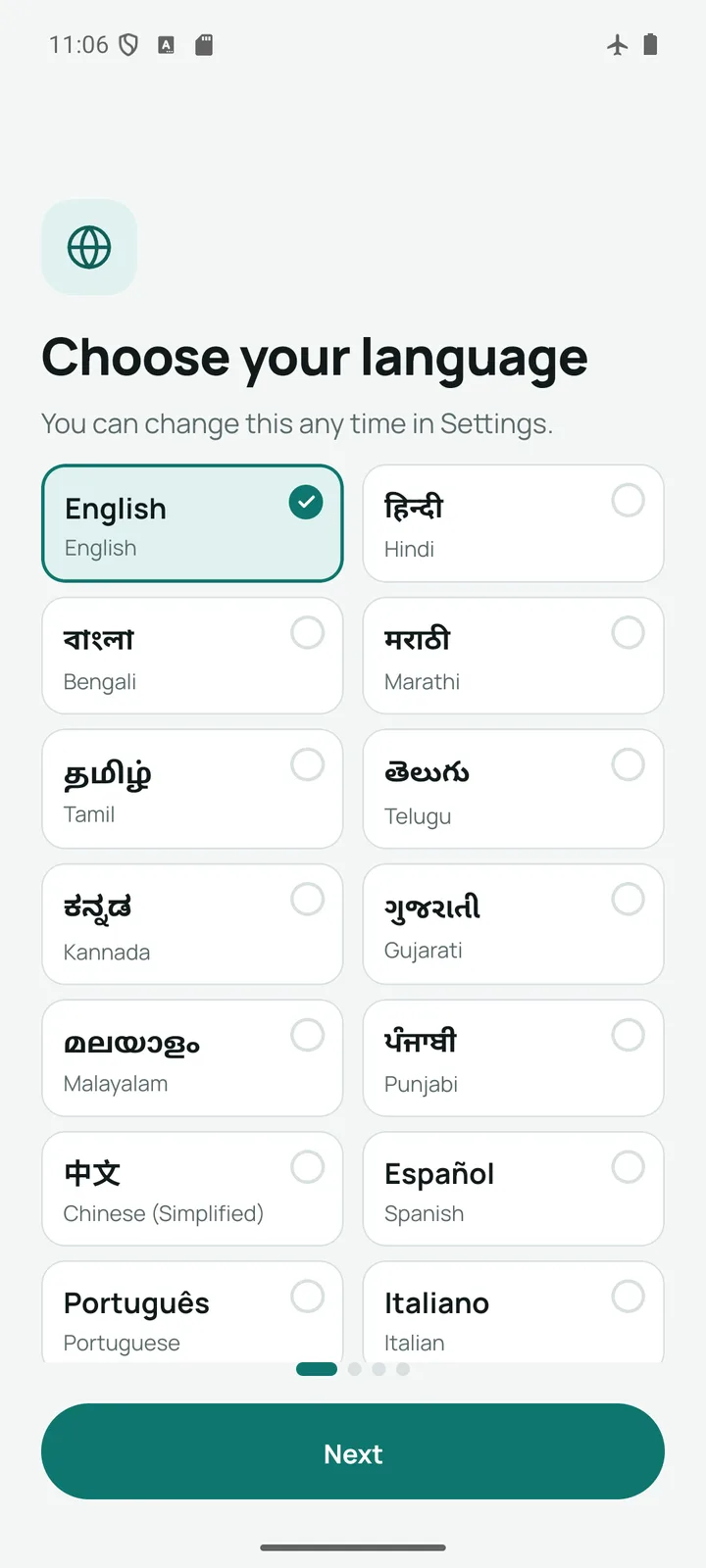
In 16 languages
Including Hindi, Bengali, Marathi, Tamil, Telugu, Kannada, Gujarati, Malayalam and Punjabi.
Light and dark themes
Follows your phone, or pick one in Settings. Applied everywhere, down to Android’s own dialogs.
Share anywhere
Send a standard PDF through WhatsApp, Gmail, Drive or any app on your phone. Choose a small file or full resolution.
Sign
Sign once. It is on every export.
Draw your signature with a finger, or take a photo of it on paper and let Pocket Scanner lift the ink off the page. Drag it into place, pinch to resize, and the live preview shows exactly how the page will export.
- Finger or photographed signature
- Quick positions or drag anywhere
- Small, medium or large
Protect
A PDF only the right person can open
Share as a password-protected PDF, encrypted with AES. The password is not saved anywhere, not even by you, and never leaves your phone, so send it separately from the file.
- AES-encrypted PDF
- Password never stored
- Opens in any PDF reader
ID cards
Both sides of a card, on one page
Scan the front, scan the back, and get a single A4 page with both, ready for KYC, a rental application or an insurance claim. Add a “For KYC purpose only” watermark before you send it.
- Aadhaar, PAN, licence or insurance card
- One A4 page, ready to print
- Watermark it for one purpose
Edit
Clean, sharp pages from any photo
Crop free, to A4, square or ID card size. Rotate, rescan, then pick a filter with live thumbnails, and apply it to every page at once if you like. What you see in the preview is exactly what is saved.
- Five filters with live previews
- Brightness and contrast
- Apply to all pages
A closer look
Your documents never leave your phone
No account, no cloud storage, no server. Scans are kept in private storage on your device and are never uploaded, synced or read by anyone else. The free version shows ads from Google AdMob, which use standard ad data like your advertising ID, but never see your documents. Ads never appear while you scan or crop.
Read the privacy policyFrequently asked questions
Is Pocket Scanner free?
Yes. Pocket Scanner is free to download and use, and supported by ads from Google AdMob. A single one-time purchase removes the ads for good. There is no subscription.
Does it work without internet?
Yes. Scanning, cropping, filters, signing, password protection and every PDF tool run entirely on your phone, so the app works with no internet connection at all.
Are my documents uploaded anywhere?
No. Your scans and PDFs are kept in private storage on your phone and are never uploaded, synced or backed up to us or anyone else. The app has no server. The only network traffic is from the ad system, which never has access to your documents.
Do I need to create an account?
No. There is no sign-up, no email address and no phone number. Install the app and start scanning.
How do I put a password on a PDF?
Open a document, tap Share and choose “PDF with password”. Set a password and share the file. It is encrypted with AES, and the password is never stored, so keep a note of it: nobody, including us, can recover it.
Can I scan both sides of an ID card onto one page?
Yes. Tap ID card on the home screen, scan the front and then the back, and Pocket Scanner places both sides on a single A4 page.
Which languages does it support?
Sixteen, including English, Hindi, Bengali, Marathi, Tamil, Telugu, Kannada, Gujarati, Malayalam, Punjabi, Chinese, Spanish, Portuguese and Italian. You can change the language at any time in Settings.
What happens to my documents if I change phones?
Because your documents exist only on your phone, they do not move automatically. Save or share the PDFs you want to keep before you switch. If you bought the ad-free upgrade, it is restored on the new phone through your Google account.
Your pocket-sized PDF scanner
Scan your first document in seconds. No account, no sign-up, no upload.